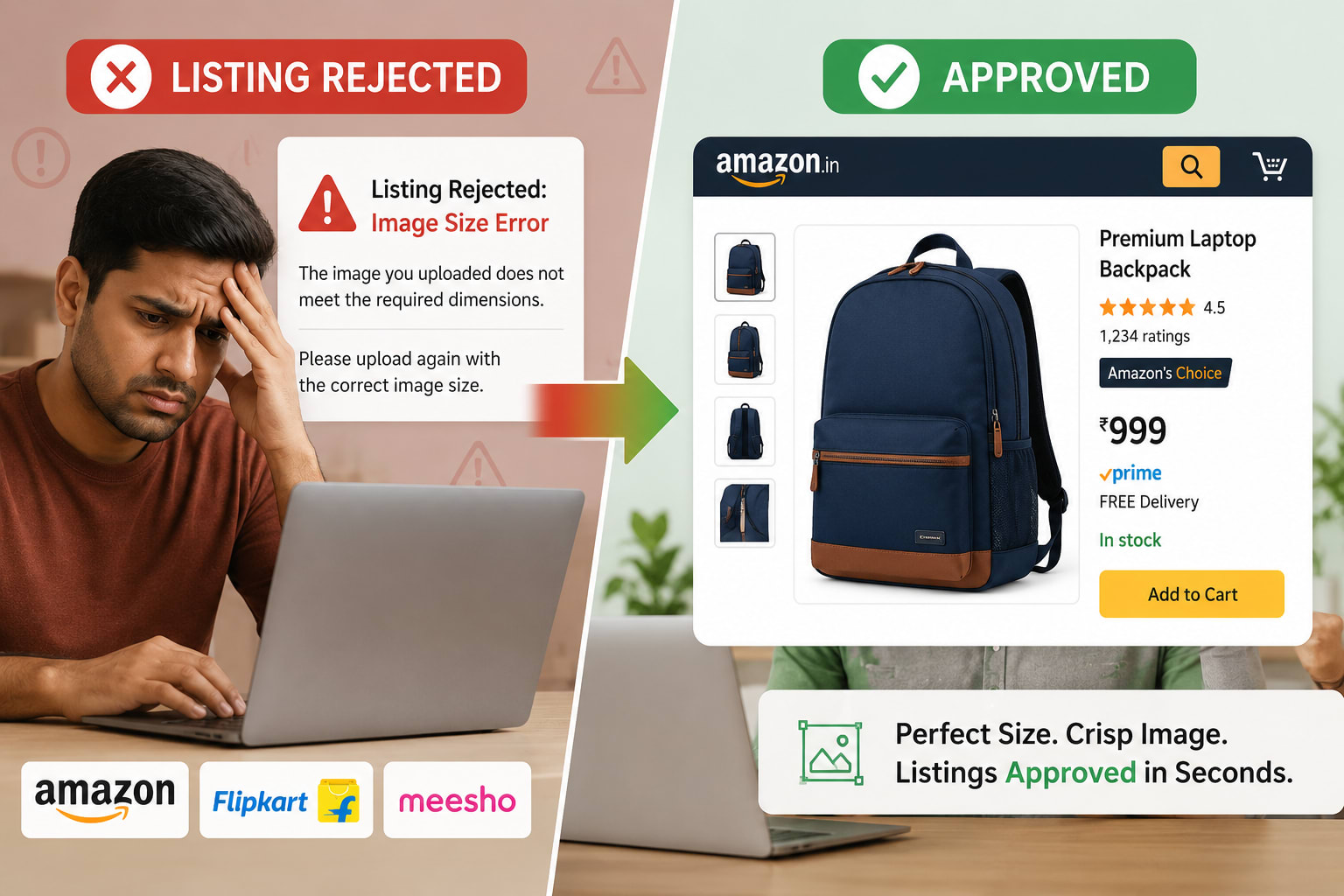
If you sell products online, you already know the sinking feeling. You’ve spent hours writing the perfect product descriptions, optimizing your titles, and sourcing great products. You click "Upload Catalog" on Amazon or Flipkart, only to be met with a wall of red text: “Error: Incorrect image dimensions.” As an online seller, your time is money. You don't have hours to spend manually tweaking pixels in Photoshop for every single platform. That is exactly why using an ecommerce image resizer free of charge is a total game-changer. Whether you need to figure out the exact Amazon product image size or adjust your product image size for Flipkart, getting your dimensions right the first time boosts your visibility and sales.
In this guide, we are going to break down the exact dimensions required for India’s top e-commerce platforms and show you how to resize product image online in a matter of seconds. Let’s dive in!
Why You Need a Dedicated Image Resize Tool for Sellers
Every marketplace has its own unique set of rules. What looks incredible on Instagram might look stretched on Amazon, and what gets approved on Meesho might be rejected by Myntra.
When you use an image resize tool for sellers, you solve three major problems at once:
-
Eliminate Rejections: Automatically snap your photos to the exact aspect ratio and pixel count required by platform algorithms.
-
Enable the "Hover to Zoom" Feature: High-resolution images that meet minimum size requirements unlock the zoom feature, which has been proven to increase conversion rates by up to 27%.
-
Enhance Page Load Speeds: A good tool doesn't just resize; it acts as a free online image compressor for flipkart and your own D2C site, ensuring your pages load instantly without losing image quality.
[Internal Link Placeholder: Check out our complete guide on How Fast Loading Speeds Increase E-commerce Sales]
The Ultimate Product Photo Size Guide India (2026)
To save you from endlessly searching through seller help centers, we’ve compiled the ultimate cheat sheet for marketplace image requirements. Keep this handy next time you are preparing a catalog!
1. Amazon Product Image Size Requirements
Amazon is strict about its main product images. Your primary image must be on a pure white background (RGB 255, 255, 255) and the product should fill 85% of the frame.
-
Minimum Size: 1000 x 1000 pixels (required to activate the zoom feature).
-
Maximum Size: 10,000 x 10,000 pixels.
-
Aspect Ratio: 1:1 (Square) is highly recommended.
-
Format: JPEG (.jpg) is preferred, though TIFF and GIF are accepted.
To make things easy, whenever you use an image resizer for amazon, just set your target to 1500 x 1500 pixels. This guarantees high-definition zoom capabilities without slowing down the app.
2. Product Image Size for Flipkart
Flipkart’s catalog approval process can be rigorous, and image file size often trips up new sellers. You need crisp images that aren't too heavy.
-
Ideal Size: 1000 x 1000 pixels (minimum 500 x 500 pixels).
-
Aspect Ratio: 1:1 (Square) or 3:4 (Vertical) for fashion/apparel.
-
File Size: Keep it under 3MB to ensure fast loading on the Flipkart mobile app.
Using a free online image compressor for flipkart is essential here. You want to compress the file size without pixelating the beautiful details of your product.
3. Meesho Image Size Requirement & Myntra Dimensions
For fashion, apparel, and lifestyle sellers, Meesho and Myntra are incredible platforms, but they handle imagery very differently.
-
Meesho: The platform is heavily mobile-focused. The standard Meesho image size requirement is a 1080 x 1080 pixels square. Because Meesho relies heavily on WhatsApp sharing by resellers, clear, bright, lifestyle images perform incredibly well here.
-
Myntra: Known for premium fashion, Myntra requires vertical imagery to showcase how clothes drape on models. The standard Myntra product image dimensions are usually a 3:4 ratio, specifically 1080 x 1440 pixels.
4. Shopify Image Size for D2C Brand Owners
If you are running your own store, you have more freedom, but consistency is key to looking professional. A mismatched catalog makes a store look untrustworthy.
-
Standard Shopify Image Size: 2048 x 2048 pixels for square product photos. This ensures your images look stunning on Retina displays and large desktop monitors.
-
For a unified storefront, D2C brand image resize workflows should include standardizing every single product shot to the exact same aspect ratio before uploading to your Shopify admin.
5. Social Commerce: Instagram & WhatsApp Catalogs
Social selling is booming in India. If you are uploading your catalog directly to social platforms, keep these dimensions in mind:
-
Instagram Product Photo Size: 1080 x 1080 pixels (Square) or 1080 x 1350 pixels (Portrait).
-
WhatsApp Catalog Image Size: 1080 x 1080 pixels. WhatsApp compresses images heavily, so always start with a high-resolution square image to prevent it from looking blurry to your customers.
How to Resize Product Image Online in Seconds
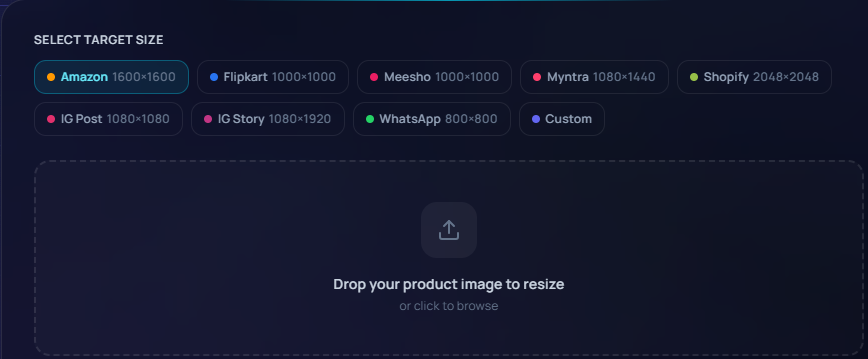
Gone are the days of hiring a graphic designer just to format your photos. With a modern ecommerce image resizer free tool, the process takes less than a minute. Here is the friendly, stress-free workflow:
-
Upload Your Raw Photos: Drag and drop your images straight from your smartphone or photographer’s folder into the online tool.
-
Select Your Marketplace: Choose presets like "Amazon," "Flipkart," or "Instagram." The tool automatically applies the correct product image size for flipkart or Amazon.
-
Adjust the Framing: Ensure your product sits perfectly in the center. A good tool will let you add white padding if your original photo was too rectangular.
-
Compress and Download: Hit export! The tool compresses the image to fit platform limits and downloads it instantly to your device.
Speed Up Your Workflow: Bulk Image Resizer for Ecommerce
If you are a catalog photographer delivering hundreds of images to a client, or a D2C brand owner launching a massive new collection, doing this one by one is exhausting.
This is where a bulk image resizer ecommerce feature shines. You can highlight 50 different product photos, select the "Meesho" preset, and download a neatly organized zip file of 50 perfectly sized images in under a minute.
Pro Tip for Sellers: Always keep a "master folder" of your highest resolution images. When expanding to a new marketplace (like moving from Amazon to Myntra), you can just run those master files through a bulk resizer with the new platform’s dimensions. It saves you from having to arrange a completely new photoshoot!
Top Mistakes Sellers Make with Product Images
Even with the right dimensions, sellers occasionally face listing suppressions. Avoid these common pitfalls:
-
Non-White Backgrounds on Main Images: Amazon will suppress your listing if the main image has a busy background. Ensure your primary shot is on pure white.
-
Watermarks and Text: Do not put your logo, sale text, or watermarks on the main image for Flipkart or Amazon. Save text overlays for your secondary infographic images.
-
Adding Fake Margins: If your image is vertical, don't just squash it to make it square. Use an image resizer for amazon that adds white padding to the sides to maintain the product's true proportions.
FAQ: Resizing E-commerce Product Images
What is the best image resizer for Amazon? The best resizers are ones that offer one-click presets for specific marketplaces. Look for tools that automatically adjust your image to a 1:1 aspect ratio, set the canvas to at least 1000x1000 pixels, and add pure white padding without stretching your product.
How can I resize product image online for free? There are many free online tools available. Simply upload your photo, type in your custom dimensions (e.g., 1080x1080 for Meesho), choose your background color (white for e-commerce), and download the adjusted file.
Will resizing affect my product image quality? If you are sizing down (e.g., from 4000px to 1500px), you won't lose perceived quality, but file size will drop. If you try to size up a tiny 300px image to 1000px, it will become blurry. Always start with the highest quality photo possible.
What is the standard product photo size in India? While it varies by platform, the safest standard to adopt across the board is 1080 x 1080 pixels or 1500 x 1500 pixels in a square 1:1 ratio. This satisfies Amazon, Flipkart, Meesho, Shopify, and social media platforms.
Conclusion
Navigating the different requirements for Amazon, Flipkart, Myntra, and Shopify doesn't have to be a headache. By understanding the optimal dimensions and using an ecommerce image resizer free of charge, you can bypass the frustration of rejected listings and get your products in front of customers faster.
Remember, high-quality, correctly sized images do more than just appease marketplace algorithms—they build trust with your buyers and directly increase your sales conversions.
Ready to stop wrestling with pixel dimensions and start selling? Click Here for Sellermitra Image Resize Tool
Tags
Related Articles
![How to Calculate Profit Margin for Amazon, Flipkart & Meesho Sellers [Free Tool]](https://res.cloudinary.com/dirxmlqvw/image/upload/f_auto,q_auto,w_1080,c_limit/v1782261330/blog-images/apanivjsqzhts0qndw2v.png)
How to Calculate Profit Margin for Amazon, Flipkart & Meesho Sellers [Free Tool]
Selling products online in India is an incredibly exciting journey. Whether you are scaling a househ...
Volumetric Weight Calculator for Ecommerce Sellers: How to Calculate Shipping Weight & Save on Courier Costs
Ever opened your monthly courier invoice, scanned the total, and let out a heavy sigh? You weighed y...

Product Description Best Practices to Boost Conversions & SEO
Most sellers focus on images and pricing, but ignore one thing that quietly drives results product d...