AI Product Image GeneratorTurn Product Photo Into Listing-Ready Images
Upload your raw product photos and let AI generate a main white-background image, hero banner, key-features and benefits infographics, how-to-use and where-to-use guides, before & after, dimensions chart, comparison chart, ingredients, problem & solution, and real-life & lifestyle images — without changing your product. Built for Amazon, Flipkart, Meesho, Myntra and Shopify listings.
One Upload, a Complete Listing Image Set
A high-converting product listing needs more than one photo. Select any combination of these fourteen AI-generated image types and get a full gallery from the same product photos.
White Background
Tap any type to preview it
White Background
Marketplace main image
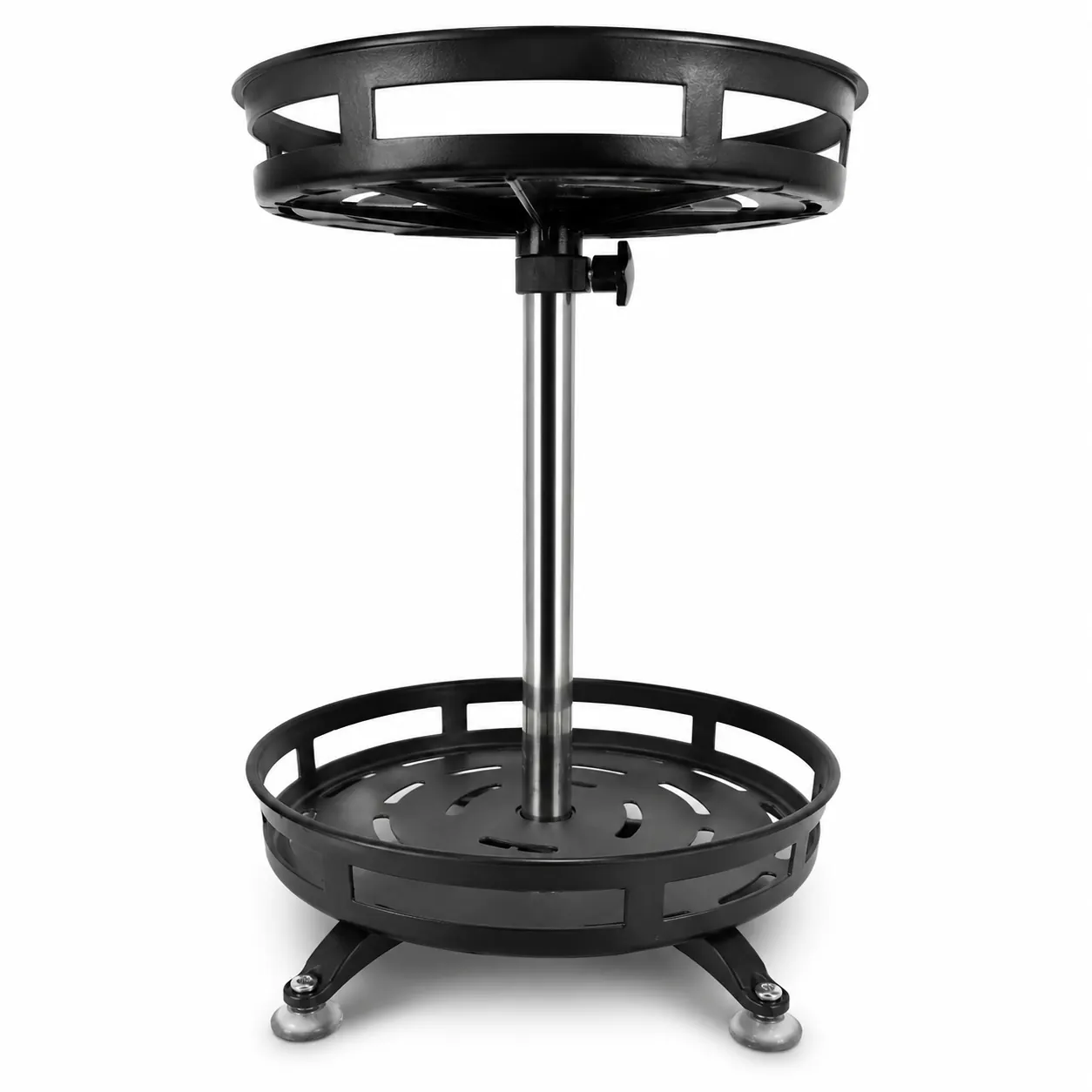
Places your product on a pure white (#FFFFFF) studio background with clean edges, natural lighting and a realistic soft shadow. Nothing about the product changes — only the background does, so it stays compliant as your Amazon and Flipkart main image.
Key Features Infographic
Sell the features visually
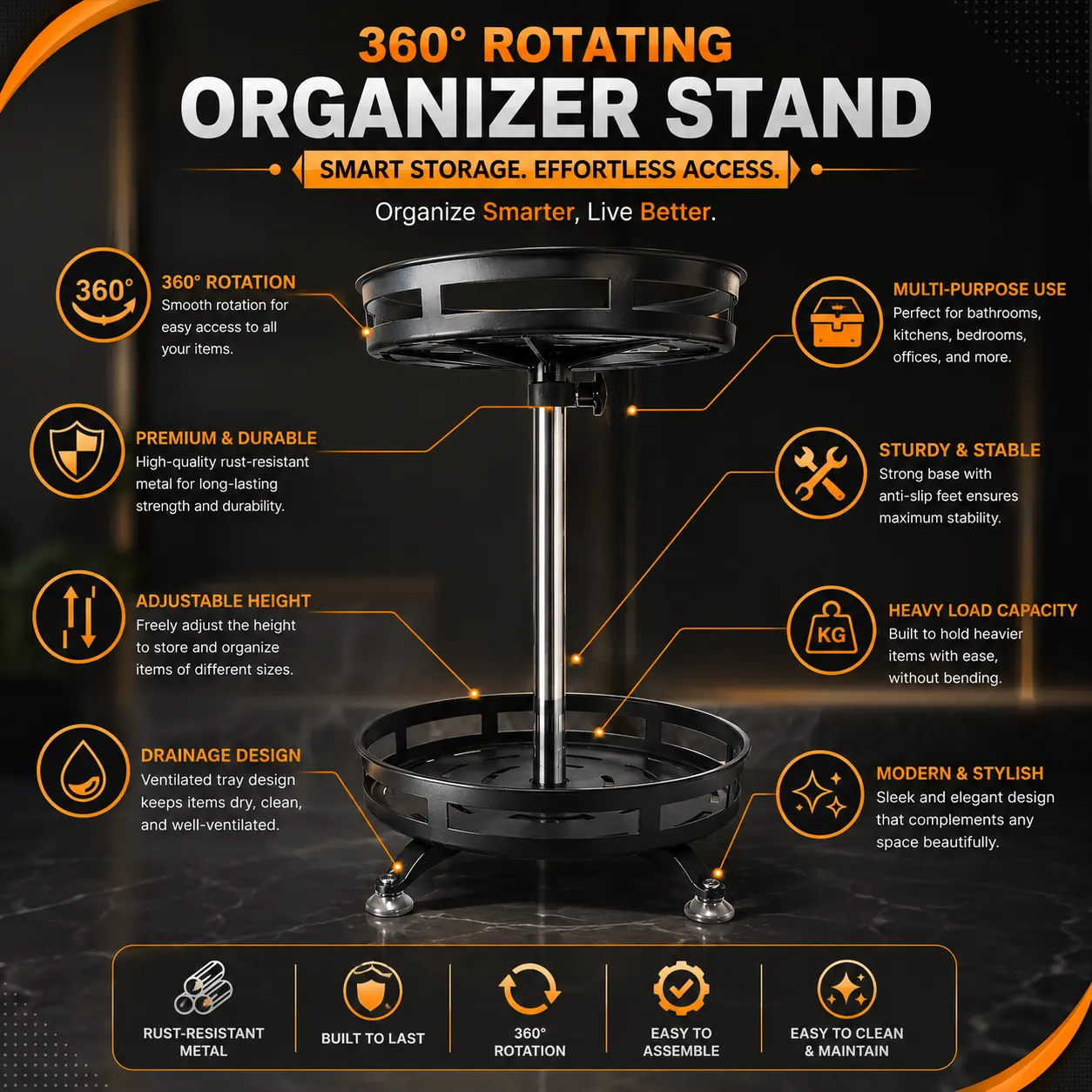
A premium infographic with your product centred and its top 5–8 features called out by modern icons connected with elegant lines. Text is written in plain, scannable language — and the AI only uses the product information you provide, so it never invents specs or claims.
Benefits Infographic
Show the payoff
A benefit-focused infographic that turns features into outcomes — 4–6 customer benefits shown with elegant icons, concise text and lifestyle graphics illustrating how the product improves everyday life. Built to answer 'what's in it for me?' at a glance.
How to Use
Step-by-step clarity
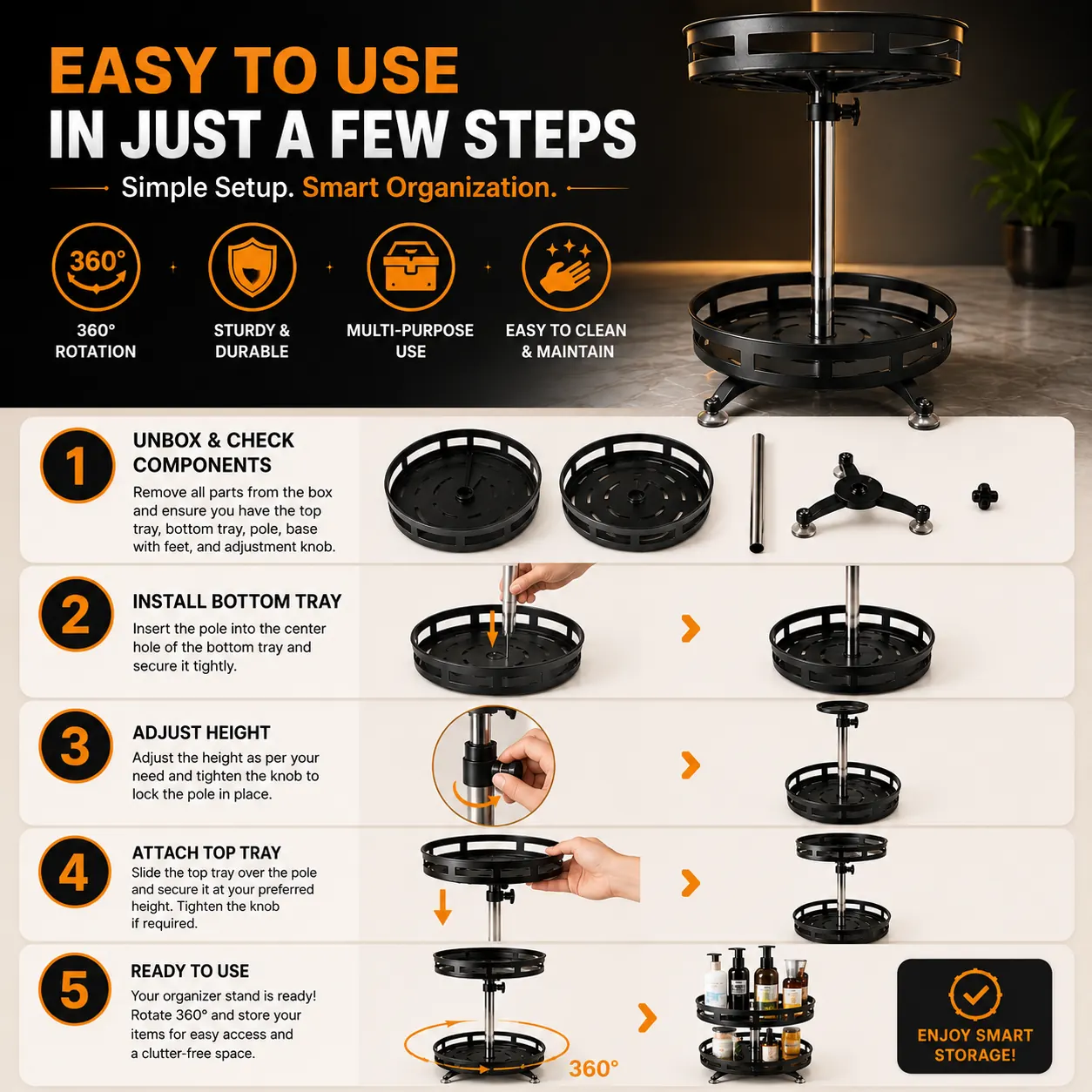
A clean step-by-step infographic showing your product in 3–5 easy usage steps, with realistic hands or demonstrations where helpful, connected by simple arrows and icons. Removes buyer hesitation about setup and everyday use.
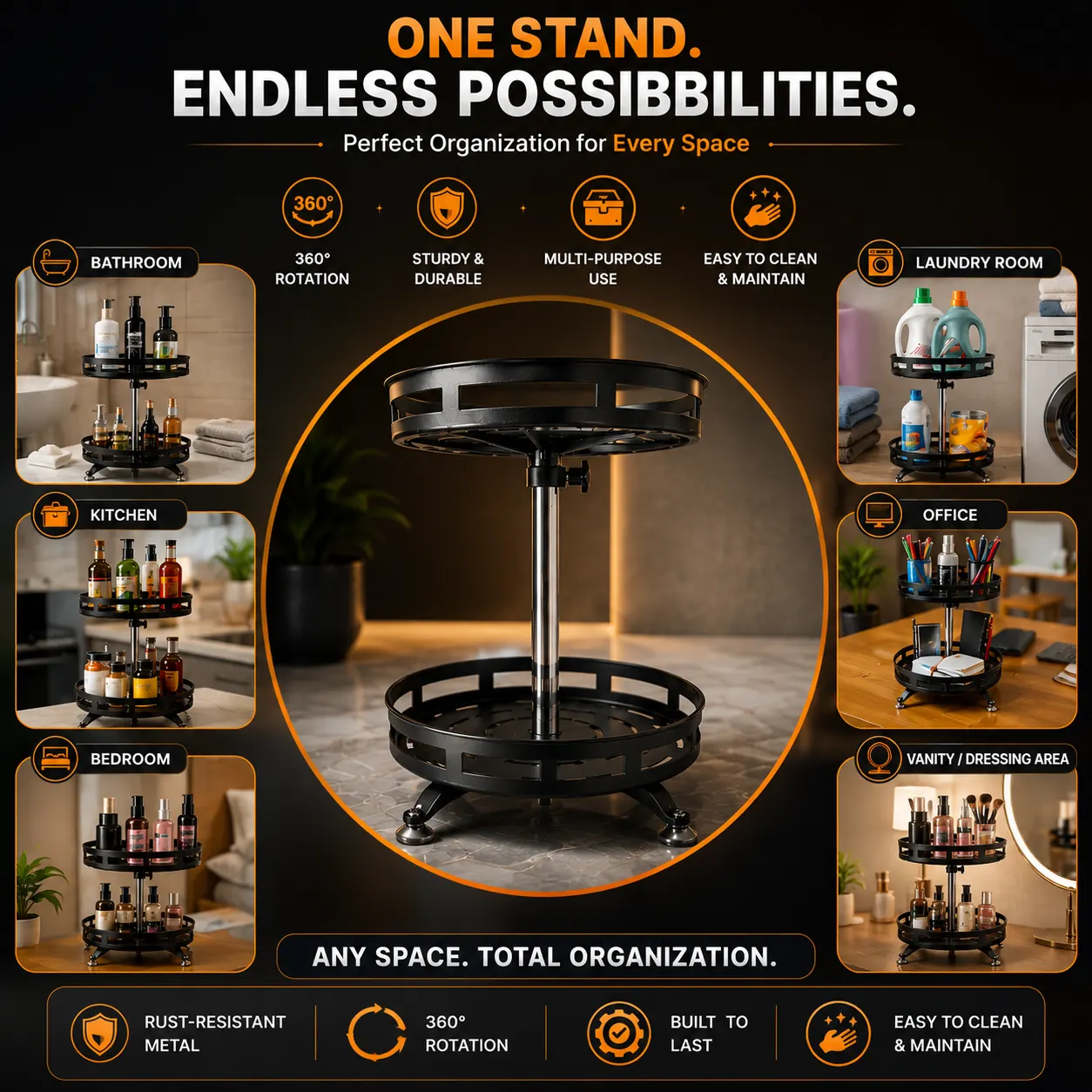
Where to Use
Show every place it fits
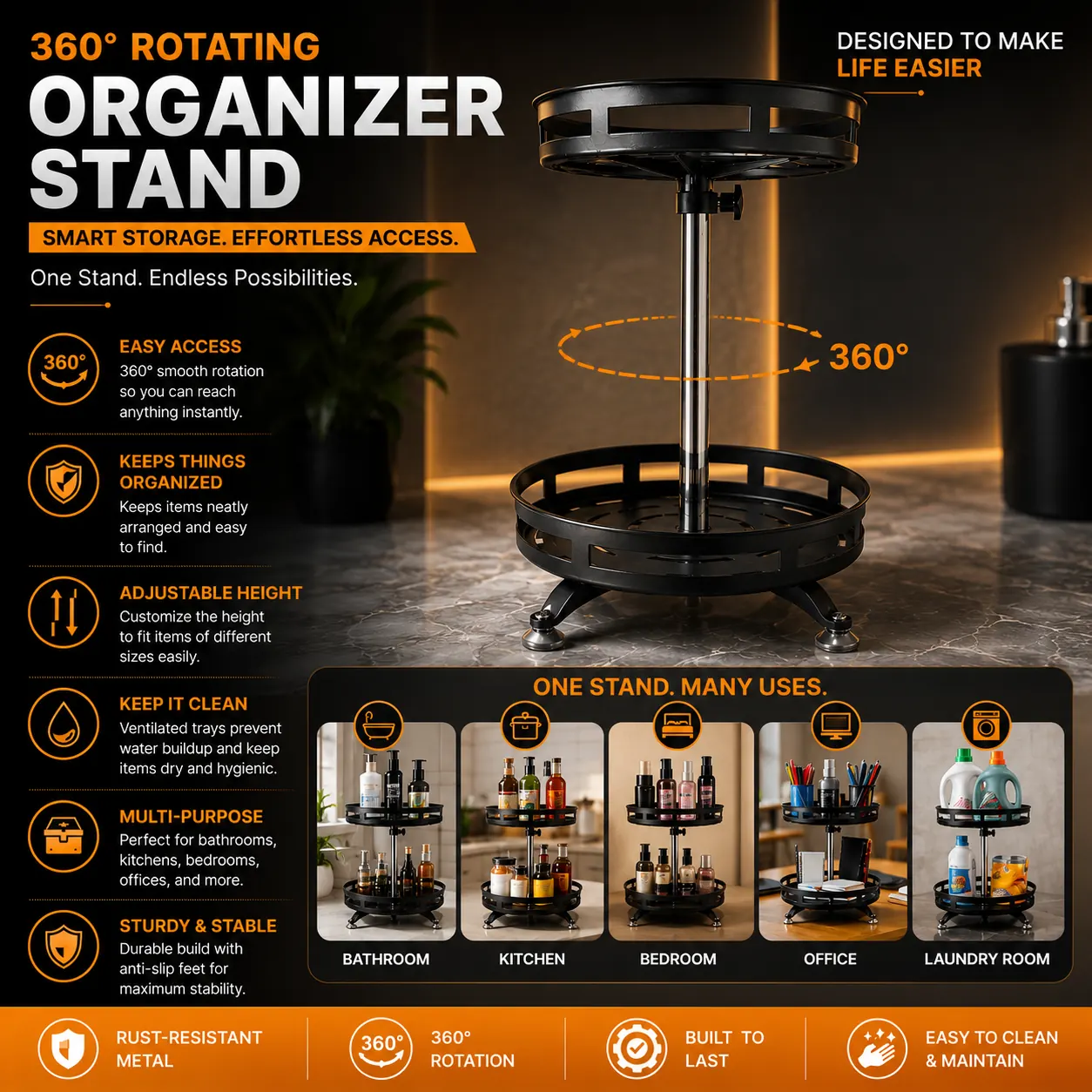
A multi-panel infographic showing your product across every suitable environment — bathroom, kitchen, bedroom, office and more — with clean labelled icons for each application. Perfect for products whose versatility isn't obvious from a single photo.
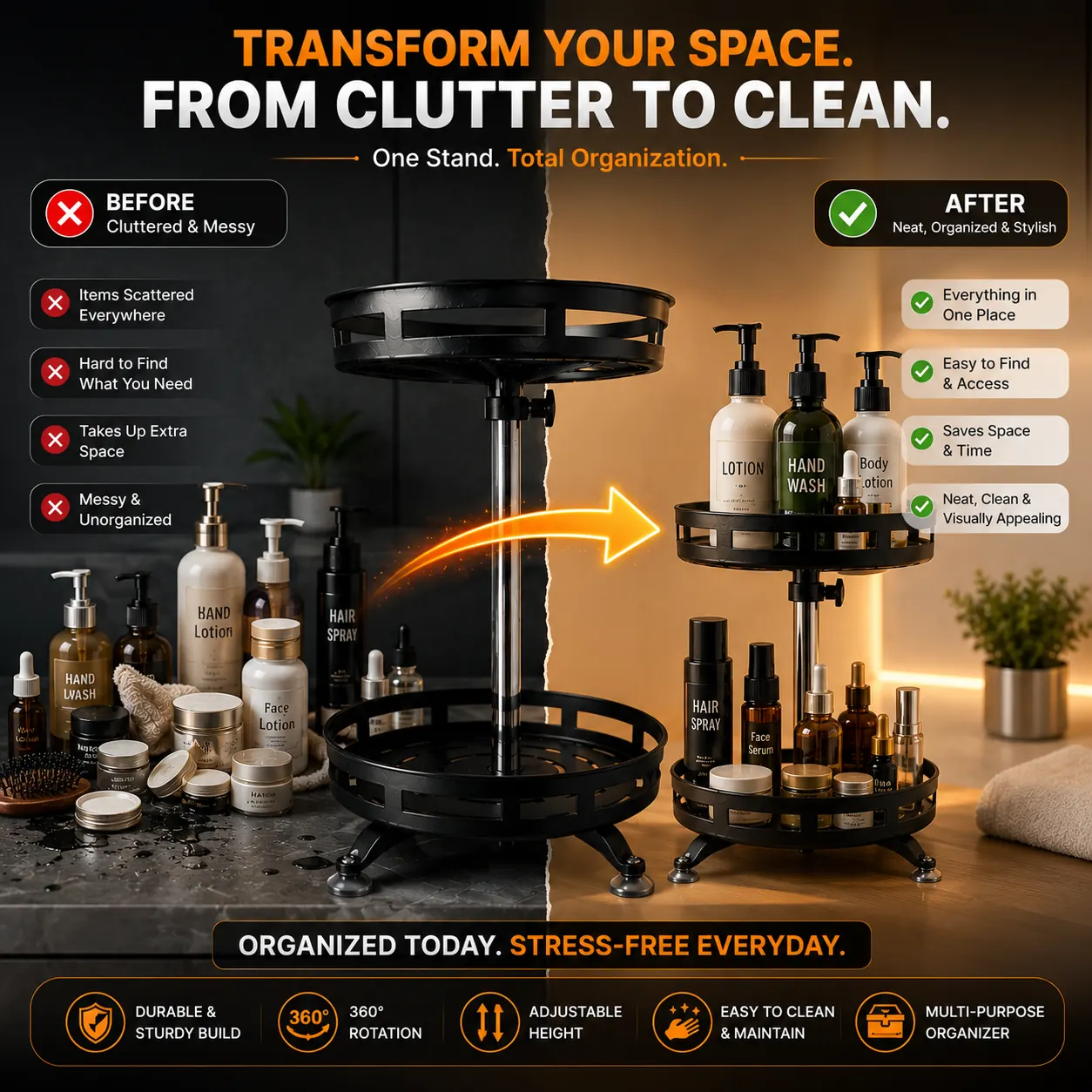
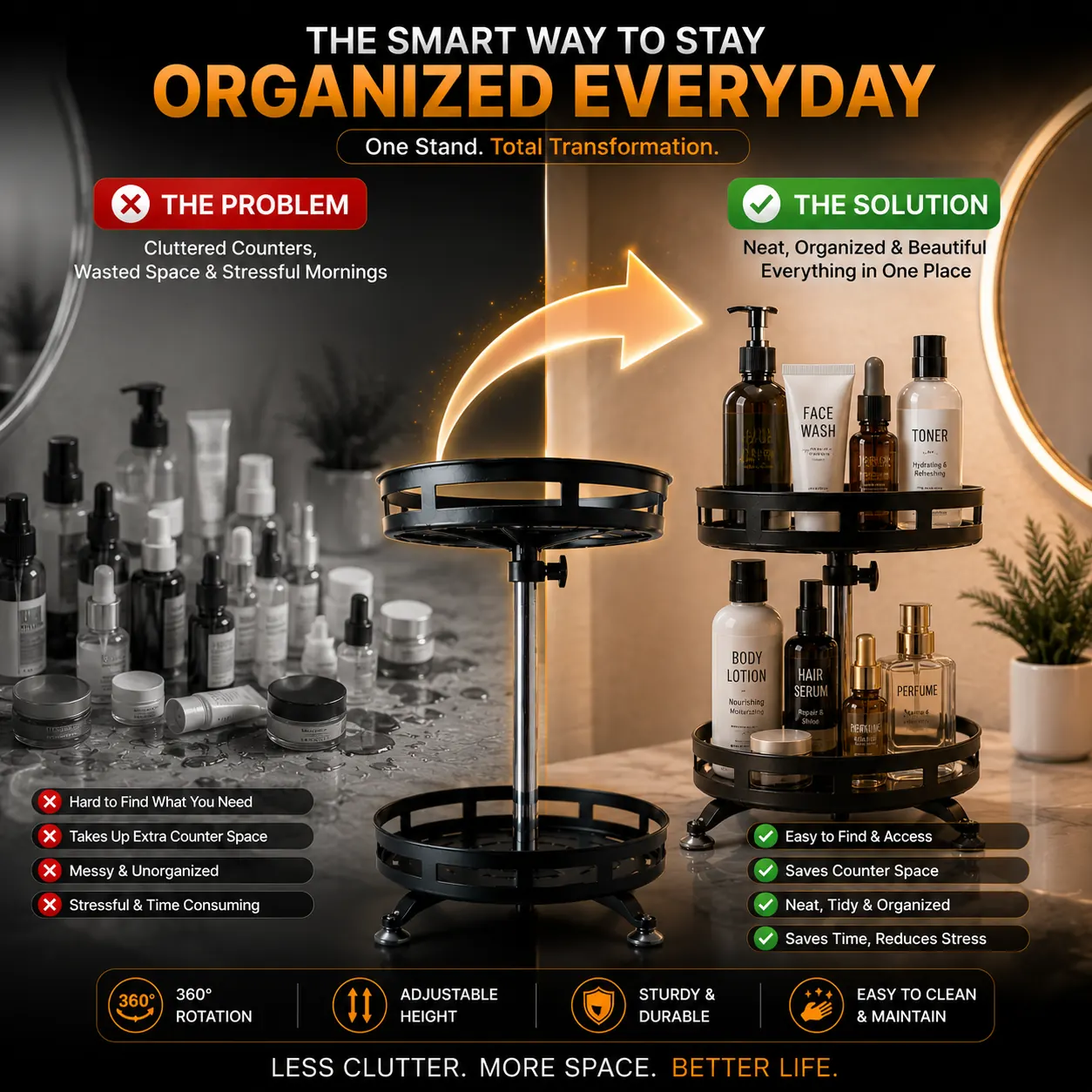
Before & After
Show the transformation
A dramatic split-screen comparison of the situation before and after using your product, with a modern transformation arrow bridging both sides. Highlights the visible improvement in a professional, advertising-grade style that instantly sells the value.
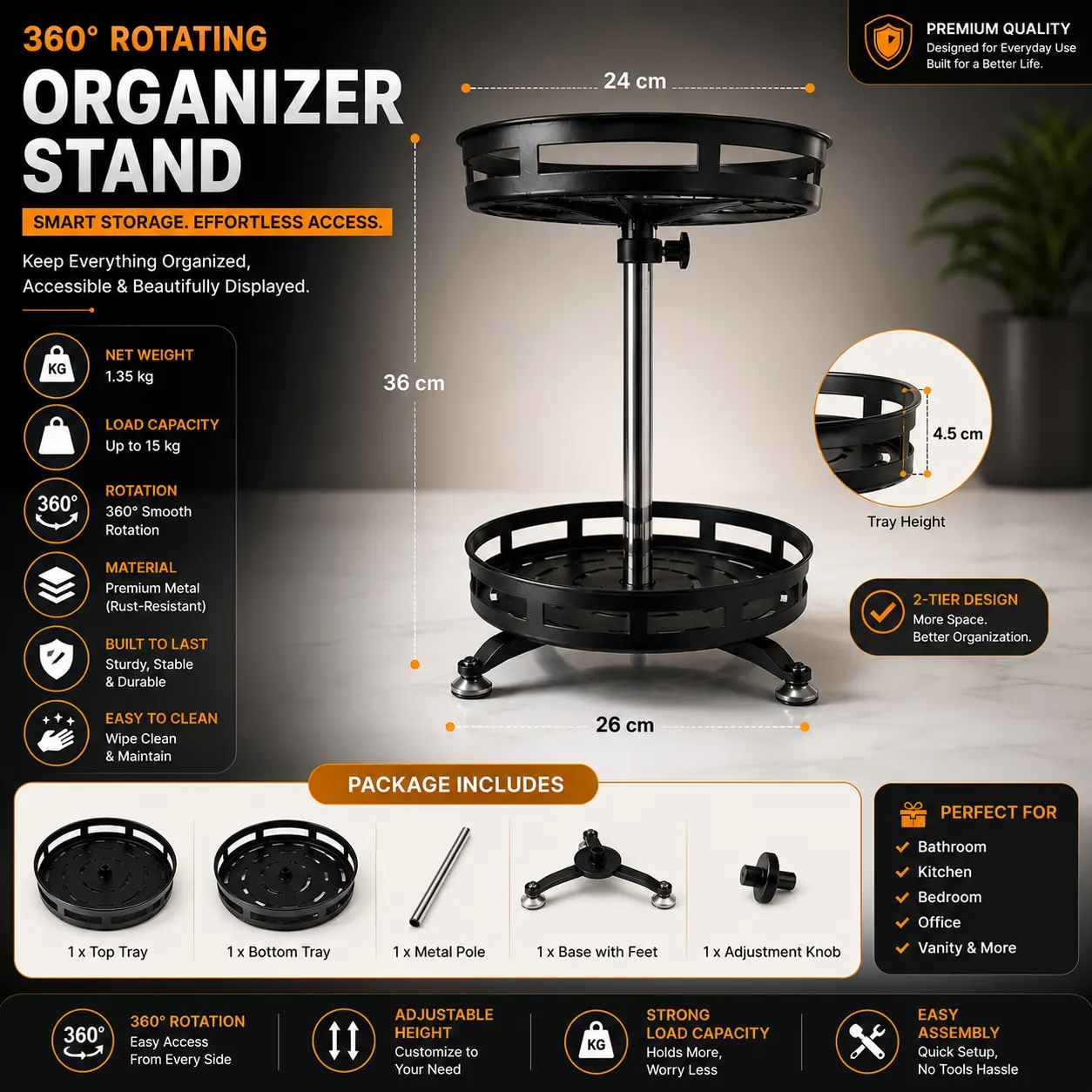
Product Dimensions
Size clarity that cuts returns
An Amazon-style dimensions infographic with measurement arrows and labelled callouts for size, weight, capacity and a clean 'Package Includes' section — generated from the details you enter. Buyers stop guessing the size, so you get fewer 'smaller than expected' returns.
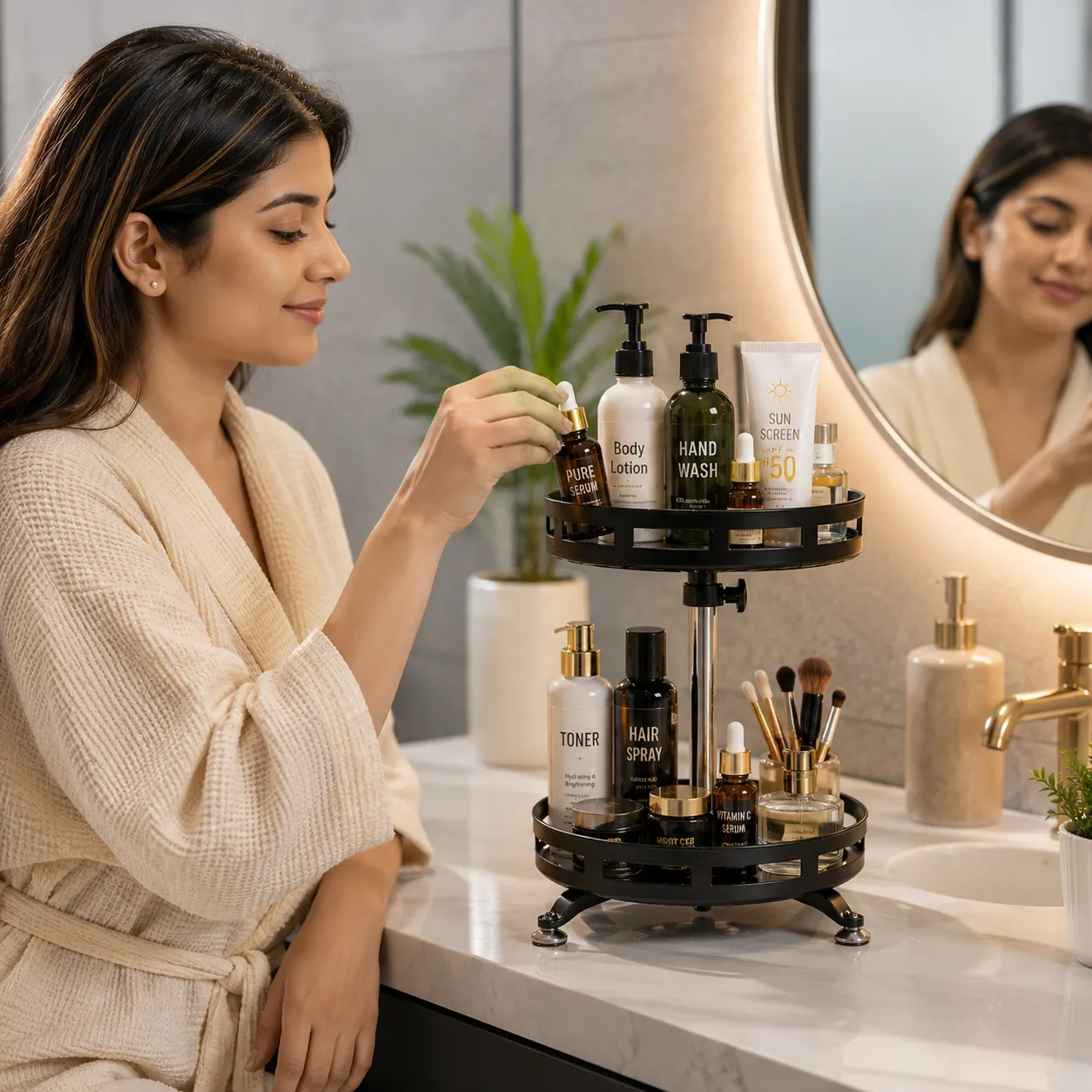
Real-Life Usage
Context that builds desire
Your product photographed being naturally used by a person in a clean, modern real-world setting, with correct scale, lighting, shadows and perspective. It looks like a real photoshoot, not a cut-and-paste composite.
Problem & Solution
Frame the pain, sell the fix
A split-screen infographic showing the everyday problem on one side and the improved result after using your product on the other, with the product bridging both scenes. Clear visual storytelling that makes the product's value obvious at a glance.
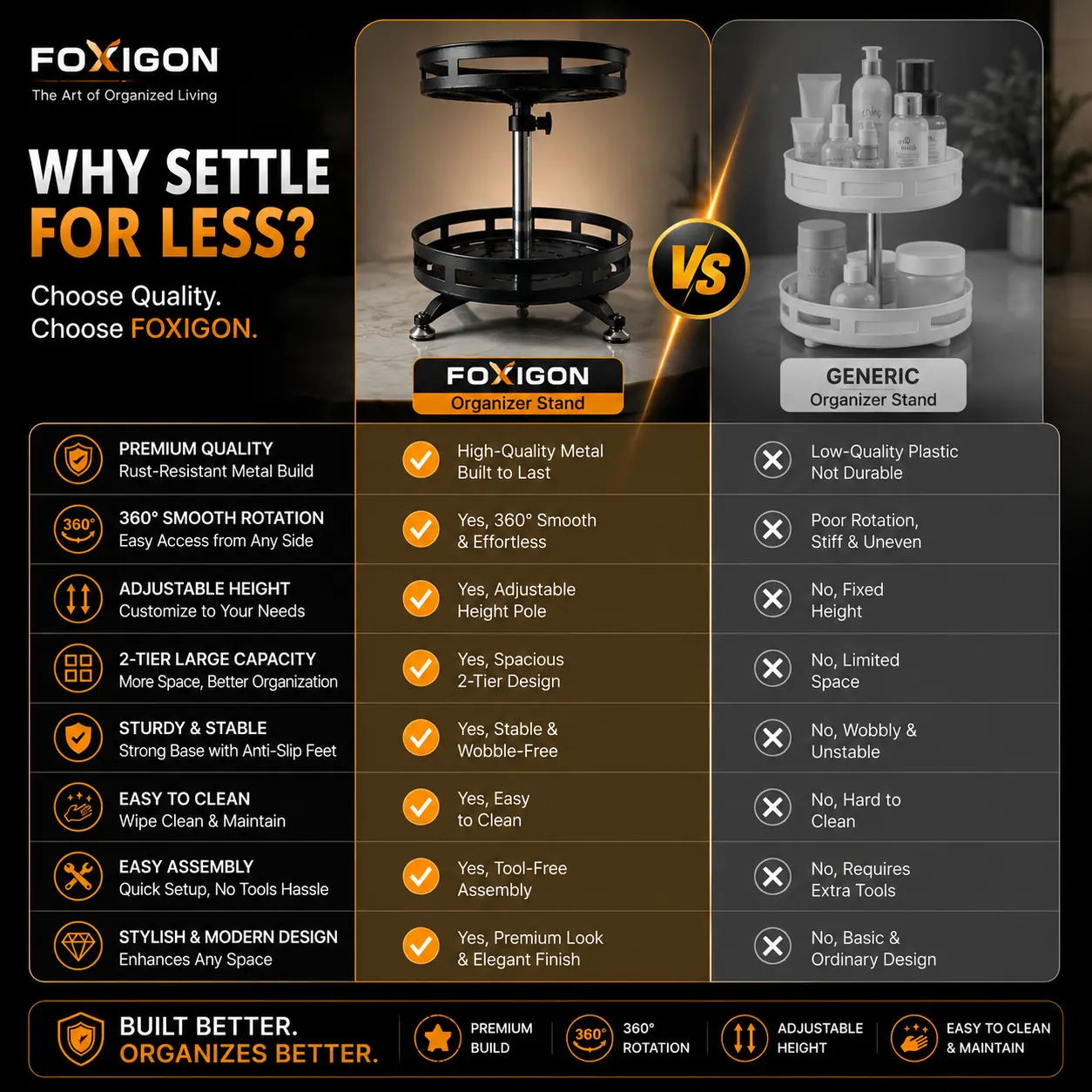
Comparison Chart
Win the side-by-side
A clean comparison infographic putting your product beside a generic unbranded alternative, with a feature table, checkmarks and icons highlighting your advantages. Premium branded layout that never references a competitor brand.
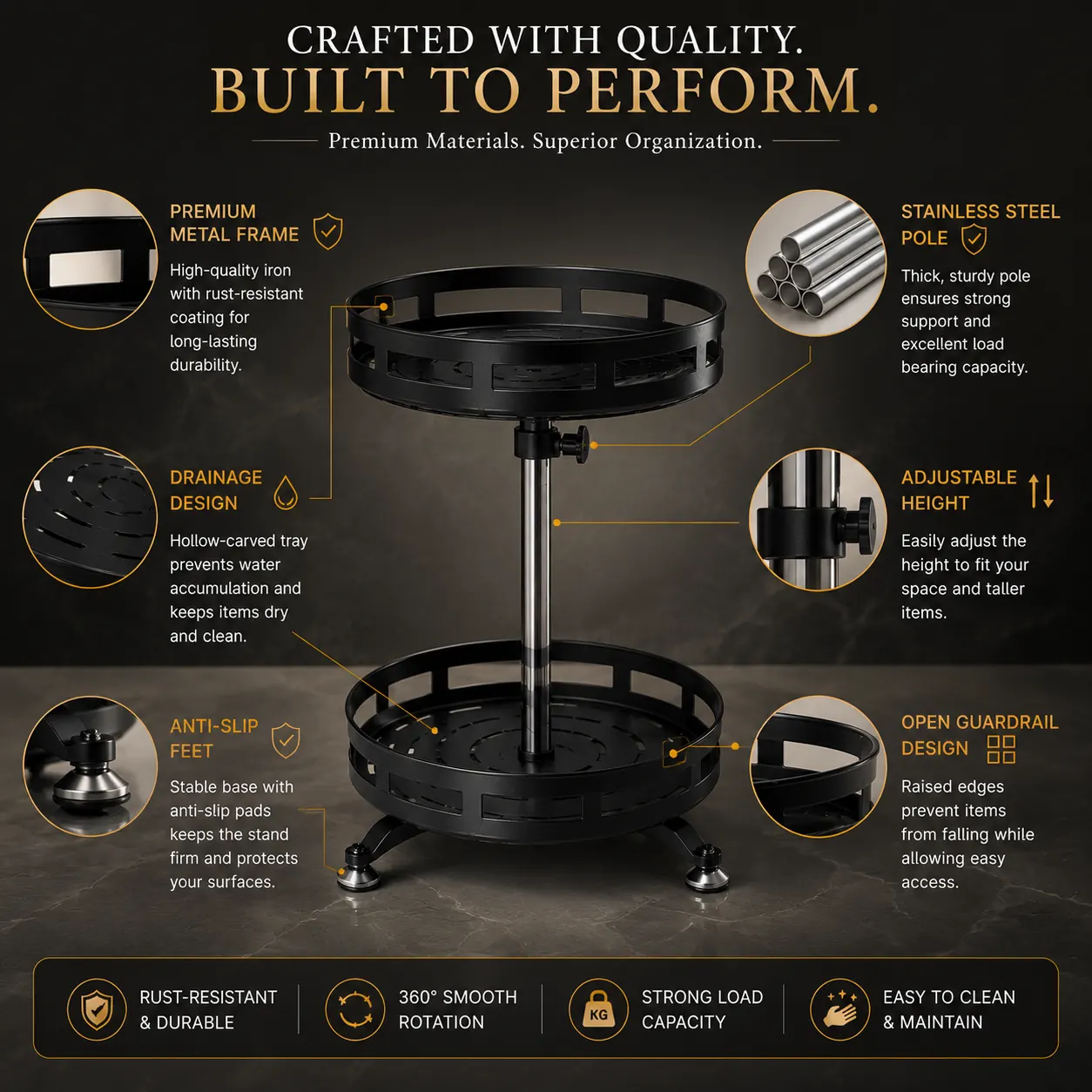
Ingredients / Materials
Prove the quality
An infographic with your product surrounded by realistic illustrations of its main ingredients, materials or components, each connected with elegant callout labels. A luxury design that emphasises quality, purity and performance.
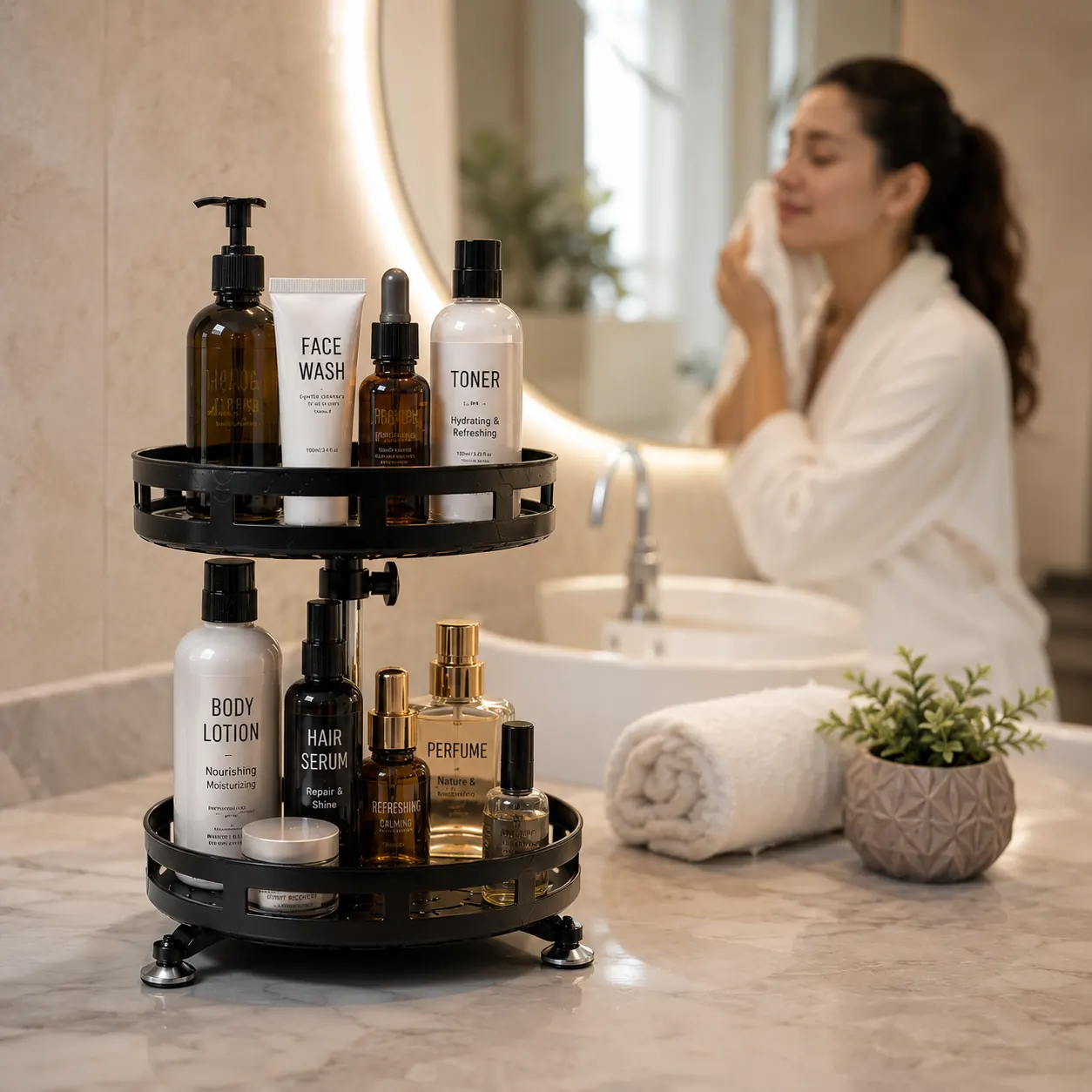
Real-Life Usage 2
The result, right after use
A real-life lifestyle shot of your product in its actual usage environment immediately after use — sharp foreground focus with the successful result in the scene, subtle human presence, soft natural light and shallow depth of field. Ultra-realistic commercial photography that communicates trust.
Select as many types as you need — each one costs 3 credits, and anything that fails is refunded automatically.
Generate My Product ImagesGenerate Product Images in 4 Simple Steps
No Photoshop, no photographer, no studio booking. If you can upload a photo, you can create a complete set of professional listing images.
- 01
Upload Product Photos
Add 1 to 6 photos of your product (JPG, PNG or WebP, up to 10MB each). The first image becomes the primary reference. More angles give the AI a better understanding of your product.
- 02
Add Product Details
Optionally describe the product, enter exact dimensions in cm, inches or mm, and add your brand name. These details feed the dimension charts and feature infographics so nothing is guessed.
- 03
Pick Your Image Types
Choose any combination of the fourteen image types. You see the exact credit cost and your remaining balance before you confirm — no surprise deductions.
- 04
Download Your Images
Generation runs in the background, so you can keep working. Images appear in your history one by one as they finish — preview them, download individually or grab the whole set at once.
New accounts start with free credits — enough to generate your first AI image at no cost.
Which Images Does Your Category Need?
Not every product needs all fourteen images. Here is the combination that tends to convert best in each category, based on what buyers hesitate over most.
Kitchen & Home Appliances
Bottles, cookware, storage containers and small appliances sell on size clarity. Pair a white background main image with a dimensions chart and an indoor lifestyle shot on a real kitchen counter.
Best combination
Furniture & Home Decor
The number one furniture return reason is 'bigger or smaller than expected'. A measured dimensions image plus a styled room scene tells the buyer exactly what arrives.
Best combination
Fashion & Accessories
Bags, belts, caps and accessories need context to feel desirable. Outdoor lifestyle scenes double as Instagram and Meta ad creatives without a separate shoot.
Best combination
Electronics & Gadgets
Specifications win these categories. A key-features infographic turns your bullet points into callouts buyers actually read before scrolling to reviews.
Best combination
Jewellery & Watches
Small items are hard to judge online. Clean white background shots keep the detail visible, while dimension callouts prevent the classic 'it looked bigger in the photo' return.
Best combination
Beauty & Personal Care
Packaging and ingredients need to be legible and the mood needs to feel premium. Combine a compliant main image with a warm indoor scene for your secondary slots.
Best combination
Fitness & Sports
Buyers want to see equipment in use, not on a table. Outdoor lifestyle and multi-panel use-case images show the product in the settings customers picture themselves in.
Best combination
Toys, Kids & Baby
Parents buy on safety and suitability. Use-case panels communicate age-appropriate play, and dimension charts settle whether it fits the room or the car boot.
Best combination
Traditional Photoshoot vs AI Image Studio
See why ecommerce sellers are switching from expensive photo studios to our AI product image generator.
Turnaround
Traditional Studio
Days or weeks to book, shoot and edit
Image Studio AI
Upload once, images ready the same session
Cost Per Product
Traditional Studio
Studio, photographer and editor fees add up
Image Studio AI
A few credits per image, no fixed costs
Infographics
Traditional Studio
Separate designer for dimension & feature graphics
Image Studio AI
Dimension charts and feature callouts generated for you
Lifestyle Scenes
Traditional Studio
Location hire, props and models per scene
Image Studio AI
Indoor and outdoor scenes from the same photo
Catalogue Scale
Traditional Studio
Every new SKU means another shoot
Image Studio AI
Repeat the same 4 steps for every SKU
Changes & Reruns
Traditional Studio
Re-book everything to reshoot one angle
Image Studio AI
Regenerate any single image type on its own
Design Skills Needed
Traditional Studio
Photoshop, lighting and layout knowledge
Image Studio AI
Upload a photo and pick the types you want
A photoshoot gives you photos. The Image Studio gives you a finished listing gallery.
Start With Free CreditsA Practical Guide to AI Product Photography
Everything worth knowing before you replace your next product photoshoot with an AI product image generator.
What is an AI product image generator?
An AI product image generator takes the photos you already have — usually shot on a phone in less-than-ideal light — and produces the polished images an ecommerce listing actually needs. Instead of booking a studio, arranging props and hiring a designer for infographics, you upload your product once and the AI produces the full gallery around it.
The critical distinction is between a general-purpose image generator and an ecommerce one. A general model will happily reinterpret your product: it changes the shade of blue, moves the logo, adds a button that was never there. For a listing image that is not a stylistic quirk — it is a misrepresentation that leads to returns, negative reviews and policy strikes. SellerMitra's Image Studio is built the opposite way: your product is treated as fixed, and only the environment around it is generated.
Why product images decide whether your listing sells
On a marketplace search results page, your image is doing almost all the work. The shopper sees a thumbnail, a title fragment and a price. If the thumbnail looks amateur — harsh shadows, a cluttered background, the product floating oddly in frame — they scroll past before your carefully written title has a chance.
Once a shopper does click through, the image gallery answers the questions that stop a purchase. How big is it really? What is in the box? Will it look right in my kitchen? Is the material as good as the price suggests? Listings that answer those questions visually convert better and, just as importantly, get returned less — which protects your account health metrics.
This is why the Image Studio generates fourteen different image types rather than variations of the same shot. Each one answers a different objection.
How to get the best results from your uploads
The AI can only work with what it can see. These habits make a visible difference to output quality:
- Upload multiple angles. You can add up to six photos. Front, back, side and a close-up of any label or texture give the AI a far more complete understanding of the product than a single shot.
- Shoot in even, natural light. Diffused daylight near a window beats direct sun or overhead tube light. Avoid heavy shadows falling across the product.
- Make the product the clear subject. Fill most of the frame and keep the surroundings uncluttered. The first photo you upload becomes the primary reference.
- Fill in the product details. Description, brand name and exact dimensions are optional, but the dimensions chart and features infographic are only as accurate as what you provide. The AI is instructed never to invent specifications.
- Keep photos in focus. A blurry source photo produces a blurry understanding of edges, text and materials. Tap to focus before you shoot.
Building a listing gallery that covers every objection
A strong marketplace gallery follows a rough order. Slot one is your compliant main image: the product on pure white, complete in frame, no text or props — this is the one marketplaces are strictest about. Slots two and three should establish scale and specifications, which is where the dimensions chart and features infographic earn their place.
The remaining slots are for desire and context. An indoor or outdoor lifestyle image lets the buyer imagine ownership, and a use-cases collage proves versatility for products whose value is not obvious from a single photo. If you also publish A+ Content or a brand store, the infographic and use-case images slot straight into those modules.
Once your images are ready, the listing copy has to match. Our AI product listing generator writes SEO-optimised titles, bullet points and backend keywords for the same product, and the Amazon description generator handles long-form copy.
Is AI-generated product imagery allowed on marketplaces?
Marketplaces do not police the tool you used — they police whether the image accurately represents the product being sold and follows the image policy for that slot. A main image must show the actual product on a white background without text, logos, watermarks or props, whether it came from a camera or a generator.
That is exactly why fidelity matters more than flair. Because the Image Studio is constrained from altering your product's shape, colour, material, branding or proportions, what you get back is your product — presented properly. Lifestyle and infographic images belong in secondary slots, where marketplaces allow scenes, text and graphics.
As always, review each generated image before you publish it and confirm it represents what the customer will receive. You can double-check compliance with our free ecommerce image checker.
What it costs compared to a photoshoot
A traditional product shoot carries fixed costs whether you sell one unit or a thousand: studio time, a photographer, props, a retoucher, and a designer for the infographics. Add a courier round trip to send samples, and a single SKU can absorb a meaningful chunk of its own margin before it ever goes live.
The Image Studio charges two credits per generated image, shown to you before you confirm, with your remaining balance displayed alongside. If a generation fails, the credits go back automatically. New accounts start with free credits, so you can see the output on your own product before deciding whether it is worth paying for. Full pricing is on our pricing page.
Simple, Transparent Pricing for Ecommerce Sellers
Designed for sellers across major ecommerce marketplaces. Start creating amazing Amazon listings today — pay once, use at your pace!
Frequently Asked Questions
Everything you need to know about using Sellermitra for your Amazon, Flipkart, Meesho, Myntra & Shopify listings.
Still have questions? Contact our support team
Let's Scale Your Ecommerce Business with AI
Have questions about our AI tools? Need a custom enterprise solution? We're here to help you scale your e-commerce business.
Your Product Deserves
Better SEO Visibility
Sellermitra is an AI product listing generator that creates SEO optimized titles, bullet points, descriptions, and backend keywords to help you rank higher and sell more.