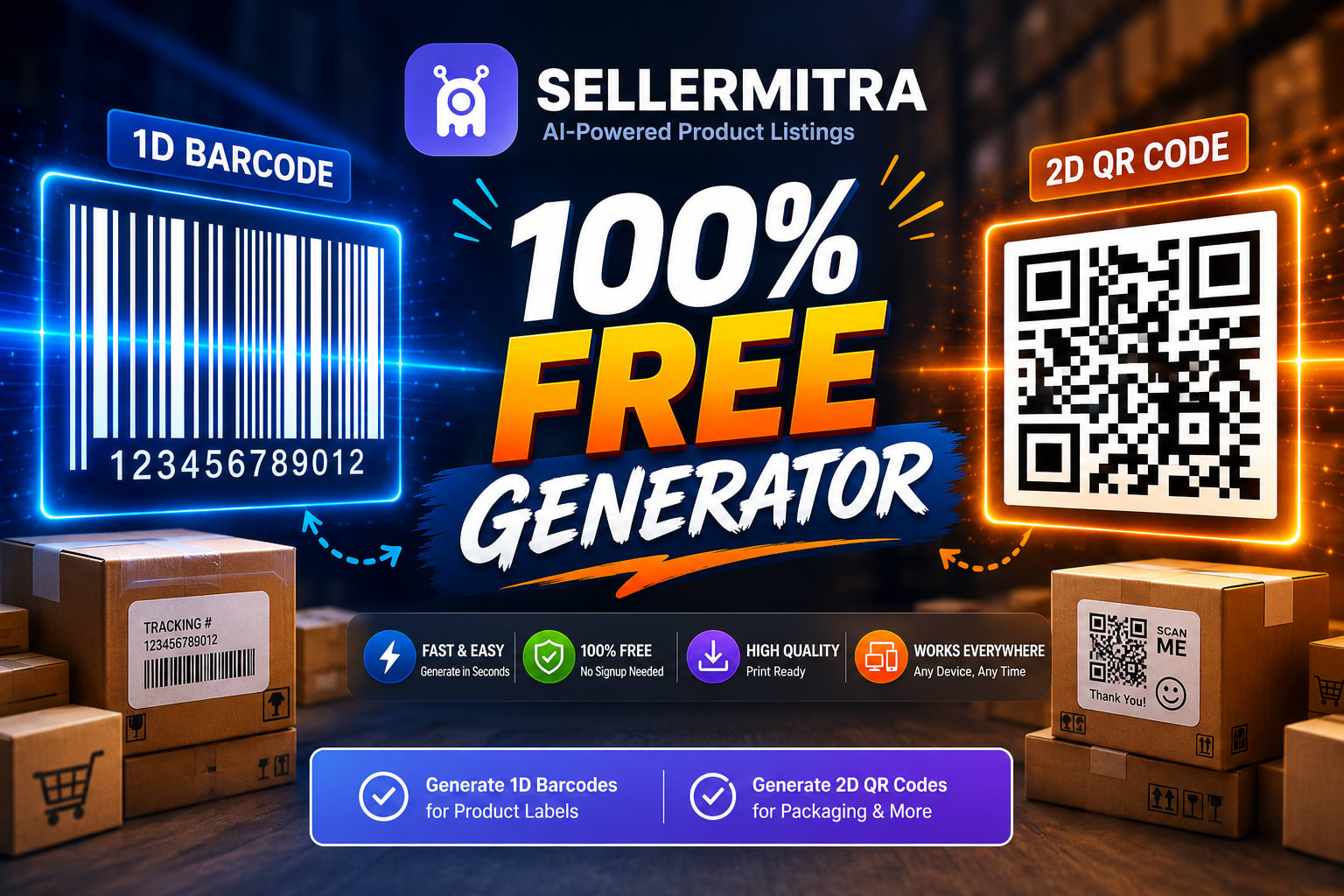
If you sell products online, run a local retail shop, or manage a warehouse, you already know the harsh truth about inventory: if it isn't labeled, it doesn't exist. Tracking products manually is a recipe for disaster, leading to lost stock, delayed shipments, and frustrated customers. The solution has always been simple—barcodes and QR codes. But finding a reliable free barcode generator or free QR code generator that doesn't bombard you with ads, demand a premium subscription, or ruin your designs with ugly watermarks has been a constant struggle.
Until now.
Welcome to the future of inventory and packaging management. SellerMitra is thrilled to announce our brand-new, 100% free tool designed specifically for the modern merchant. Whether you need a barcode generator for Amazon FBA, a way to generate Flipkart FSN labels, or a quick WhatsApp QR code generator for business to place on your packaging, we have you covered.
In this comprehensive guide, we will walk you through exactly how to generate barcode online free, why these scannable assets are critical for your business growth, and how you can leverage SellerMitra’s online barcode maker to streamline everything from warehouse logistics to customer engagement. Grab a cup of coffee, and let’s dive into the world of effortless e-commerce labeling.
Why Every E-commerce Seller and Retailer Needs Barcodes and QR Codes
Before we jump into how to use the tool, it is essential to understand why these small black-and-white graphics are the backbone of global commerce. A barcode is not just a sticker; it is a digital passport for your physical product.
The Role of Barcodes in E-commerce (Amazon FBA, Flipkart FSN)
If you are an online seller scaling your business through platforms like Amazon, Flipkart, Meesho, or Myntra, barcodes are non-negotiable.
-
Amazon FBA (Fulfillment by Amazon): Amazon warehouses process millions of items daily. To ensure your product is tracked from the moment it arrives at the fulfillment center to the moment it reaches the customer's doorstep, Amazon requires specific barcodes (like the FNSKU). A reliable barcode generator for Amazon FBA ensures your labels are scannable, preventing costly warehouse rejections or lost inventory.
-
Flipkart & Meesho: Similarly, platforms like Flipkart rely on FSN (Flipkart Serial Number) and specific SKU barcodes. If your label is smudged, incorrect, or missing, your dispatch metrics take a hit.
The Power of QR Codes for D2C Brands and Local Businesses
While traditional 1D barcodes are perfect for inventory and checkout, 2D QR codes are marketing powerhouses.
-
Customer Engagement: A QR code generator for product page links can turn a physical unboxing experience into digital traffic. Customers scan the code on your box and are instantly taken to your Shopify store, an instructional video, or a warranty registration page.
-
Payments and Support: A UPI QR code generator free tool allows local businesses to accept payments seamlessly, while a WhatsApp QR code on a flyer allows customers to instantly text your support team with a single scan.
Introducing SellerMitra’s Free Barcode & QR Code Generator
At SellerMitra, our mission has always been to empower sellers. We realized that while large enterprises can afford expensive ERP and labeling software, small business owners, D2C startups, and regional distributors were being left behind. You shouldn't have to pay a monthly fee just to generate an MRP sticker generator file or a warehouse label.
What is SellerMitra’s Generator?
SellerMitra’s new tool is a web-based, zero-cost platform that allows you to instantly create both 1D barcodes and 2D QR codes. It requires no software installation, operates directly in your browser, and outputs high-resolution, print-ready files.
Why We Built This Tool for the Indian Seller Ecosystem
The Indian e-commerce landscape is incredibly diverse. We have homepreneurs selling on Meesho, established D2C brands running Shopify stores, and massive wholesalers moving thousands of units to B2B clients. We built this tool to address the specific pain points of this ecosystem:
-
Cost: Subscriptions for barcode tools eat into your profit margins. Our tool is entirely free.
-
Simplicity: No complex technical jargon. Just input your data and click generate.
-
Versatility: From a single SKU barcode generator online request to a bulk barcode generator from Excel/CSV task, the system handles it all.
Key Features of SellerMitra's Online Barcode Maker
What makes our tool the best choice for your business? We packed it with enterprise-grade features, stripped away the paywalls, and made the interface as friendly as possible.
1. Generate Barcode Online Free (1D Barcodes)
We support all major global 1D barcode standards. Whether you need standard inventory tracking or retail-ready compliance, you can generate:
-
Code 128: The gold standard for warehouse logistics and general SKU tracking. It supports letters and numbers, making it the perfect warehouse SKU barcode generator.
-
UPC-A & EAN-13: The mandatory retail barcodes required for selling in supermarkets and global marketplaces.
-
Code 39: Great for automotive, healthcare, and internal badge tracking.
2. Free QR Code Generator for Product Pages and Payments
Our QR engine is designed for modern interactions. You can generate static QR codes for multiple purposes instantly:
-
URL Links: Drive traffic to your website, social media, or a specific product landing page.
-
WhatsApp QR: The ultimate WhatsApp QR code generator for business feature—embed your business phone number and a pre-filled message so customers can chat with you instantly.
-
UPI Payments: Create secure, scannable codes to receive payments without hardware POS machines.
-
vCard/Text: Share digital business cards, plain text instructions, or discount codes.
3. Bulk Barcode Generator from Excel/CSV
Manual data entry is a waste of your valuable time. If you have a massive catalog, our bulk barcode generator from Excel/CSV feature is a lifesaver. Simply upload your spreadsheet containing your product SKUs, MRPs, and titles, and the tool will generate a neat, downloadable zip file containing hundreds of perfectly formatted barcodes in seconds.
4. No Watermarks, High-Resolution Downloads
There is nothing more frustrating than generating a beautiful label only to find a giant "Created by FreeApp" watermark plastered across it. SellerMitra guarantees a barcode generator without watermark. Furthermore, you can download your assets in PNG, JPG, or SVG formats, ensuring crisp, scalable printing from thermal label printers or standard office inkjets.
Step-by-Step Guide: How to Create Barcode for Product Packaging
Learning how to create barcode for product packaging might sound intimidating, but with SellerMitra, it takes less than a minute. Here is your fail-proof guide to getting it right.
Step 1: Choose Your Barcode Standard
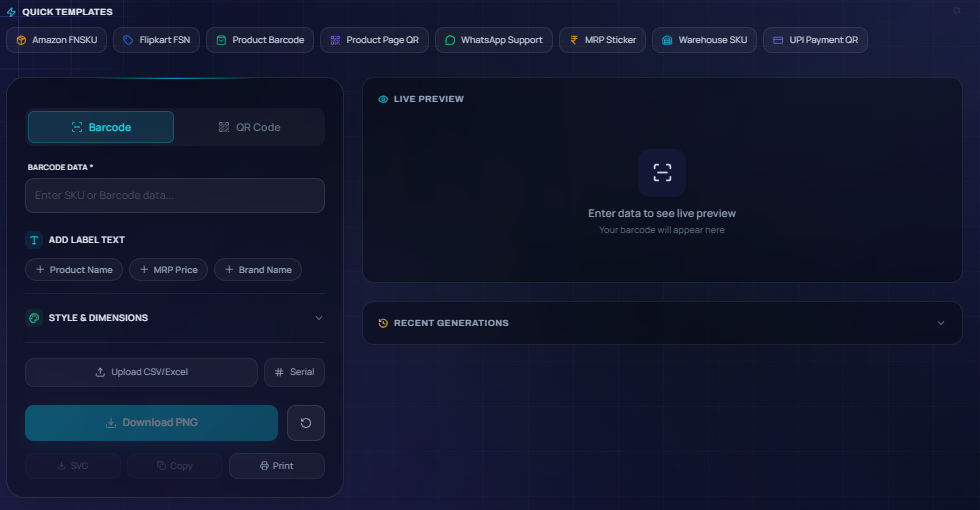
Navigate to the SellerMitra Barcode Generator dashboard. Your first task is selecting the symbology (the type of barcode).
-
If you are creating an internal tracking label or an Amazon FNSKU, select Code 128.
-
If you are selling a food product in a retail supermarket, select EAN-13 (for India/Europe) or UPC-A (for the US).
Step 2: Enter Your SKU or MRP Details
In the data input field, type in your specific product identifier.
-
Example: If your product is a Red Cotton T-Shirt in size Medium, your internal SKU might be
TSHIRT-RED-M. Type this exactly as it appears in your inventory management system. -
If you are using the tool as a product barcode generator for small business packaging, you can also toggle the option to display text below the barcode. This allows you to show the human-readable SKU or MRP value.
Step 3: Customize and Download Barcode Generator Without Watermark
Once your data is entered, a live preview will generate on the screen.
-
Check the preview to ensure the lines are clear and the text is accurate.
-
Select your preferred file format. For standard web use, PNG is great. For professional label printing where scaling is required, choose SVG.
-
Click Download. You now have a pristine, print-ready file with absolutely zero watermarks.
Step-by-Step Guide: Generating WhatsApp and UPI QR Codes for Business
E-commerce is no longer just about transactions; it is about relationships. A QR code bridges the gap between your physical product and your digital presence.
Step 1: Select the QR Code Type
Switch over to the QR Code tab on the SellerMitra dashboard. You will see several options: URL, Text, WhatsApp, UPI, and Email.
Step 2: Enter WhatsApp Number or UPI ID
-
For WhatsApp: Select the WhatsApp option. Enter your business mobile number (including the country code, e.g., +91 for India). You can also add a pre-filled message like: "Hi! I just received my order and I have a question." When the customer scans the code, their WhatsApp will open directly to your chat with this message typed out.
-
For UPI: Select the UPI option. Enter your exact VPA (Virtual Payment Address, e.g., yourname@okhdfc). You can optionally hardcode an amount, or leave it blank so the customer can enter the amount themselves.
Step 3: Test and Print Your Free QR Code
Crucial step: Always test your QR code before printing it on a thousand boxes!
-
Generate the preview on your computer screen.
-
Pull out your smartphone, open your camera or QR scanner app, and point it at the screen.
-
Verify that the link opens the correct WhatsApp chat, payment app, or website.
-
Download the high-resolution file and hand it off to your packaging designer.
Use Cases: Who Can Benefit from the SellerMitra Generator?
We built this tool to be universally adaptable. Here is how different sectors within the commerce industry are utilizing our platform to scale operations.
Amazon, Flipkart, Meesho, and Myntra Sellers
Marketplace compliance is incredibly strict. A faded or unreadable barcode means your inventory is sidelined, costing you storage fees and lost sales. Online sellers use our tool to generate crisp, high-contrast labels that pass marketplace scanner tests on the first try. The ability to quickly generate a replacement label for a damaged box is invaluable for FBA and FSN sellers.
D2C Brands Packaging Their Own Products
Direct-to-Consumer brands thrive on aesthetics and customer experience. A generic, ugly barcode can ruin a beautiful box design. Because our tool offers SVG vector downloads, D2C packaging designers can seamlessly integrate our barcodes and QR codes into Adobe Illustrator files. They use our QR code generator for product page links to drive customers to loyalty programs, usage tutorials, and cross-sell opportunities right from the unboxing moment.
Small Retail and Kirana Store Owners
Local shops are upgrading their tech stacks rapidly. A product barcode generator for small business is essential for transitioning from manual ledger books to modern Point of Sale (POS) software. Kirana owners use SellerMitra as an MRP sticker generator to print price tags and SKU labels, drastically speeding up the checkout line and reducing human error during billing.
Wholesalers and Warehouse Managers
When you manage thousands of square feet of shelving, you need macro-level organization. Warehouse managers utilize our warehouse SKU barcode generator to create massive, readable labels for entire pallets and shelf bins. Furthermore, the bulk barcode generator from Excel/CSV allows them to label a new shipment of 500 diverse items in minutes, rather than typing out each SKU manually.
Barcode vs. QR Code: Which One Should You Use?
While both technologies store data and require scanning, they serve fundamentally different purposes. Understanding which to use will optimize your operations and marketing.
| Feature | 1D Barcode (e.g., Code 128, UPC) | 2D QR Code |
| Appearance | Vertical black and white lines | Square grid of black and white pixels |
| Data Capacity | Low (typically 20-85 characters) | High (up to 4,000+ alphanumeric characters) |
| Data Type | Numbers, letters, simple SKUs | URLs, text, contact cards, payment data |
| Scan Direction | Unidirectional (must scan horizontally across lines) | Omnidirectional (can be scanned from any angle) |
| Hardware Needed | Laser barcode scanners, POS systems | Smartphone cameras, advanced 2D imagers |
| Best Used For | Inventory tracking, warehouse, fast retail checkout | Marketing, customer engagement, payments, deep info |
The Golden Rule: Use 1D barcodes for internal systems and marketplace logistics (Amazon/Flipkart). Use 2D QR codes for customer-facing interactions (support, payments, website links).
Best Practices for Printing and Scanning MRP Stickers & SKU Barcodes
Generating the barcode is only half the battle. If it doesn't scan in the real world, it is useless. Follow these professional best practices to ensure 100% scan rates.
Right Sizing and Scaling
Never stretch a 1D barcode disproportionately. If you change the width without changing the height, or vice versa, you distort the "quiet zones" (the blank white space required on the left and right of the lines). This will cause scanner failure.
-
Tip: If you need a larger barcode, scale it proportionally. For QR codes, ensure they are at least 1 inch by 1 inch on physical packaging; anything smaller might be unreadable by older smartphone cameras.
Color Contrast Matters
Scanners read the contrast between dark and light, not the colors themselves.
-
Do: Print pure black barcodes on a pure white, matte background.
-
Don't: Print red barcodes on a white background, or black barcodes on a dark blue background. Laser scanners use red light, so a red barcode on a white background will look entirely white to the machine!
Printer Quality (Thermal Printers vs. Inkjet)
For e-commerce shipping labels and inventory stickers, invest in a direct thermal or thermal transfer printer (like a Zebra, Rollo, or standard 4x6 shipping printer).
-
Thermal Printers: Provide crisp, bleed-free edges crucial for barcodes. They use heat to activate the paper, meaning no ink smudging.
-
Inkjet Printers: If you must use a standard office printer, ensure it is set to the highest quality. Cheap inkjet printing can cause ink to bleed into the white spaces, blurring the lines and making the barcode unscannable.
Frequently Asked Questions (FAQs)
Q1: Is the SellerMitra barcode and QR code generator really free?
Yes. There are no hidden fees, no credit card requirements, and no trial periods. It is a 100% free tool designed to support the e-commerce community.
Q2: Can I use these barcodes for my Amazon FBA shipments?
Absolutely. You can select the Code 128 format, input your Amazon FNSKU, and generate a high-quality, scannable barcode that meets Amazon's strict fulfillment center requirements.
Q3: Will the generated barcodes expire?
No. Standard 1D barcodes and static QR codes do not expire. They simply represent the text or numbers you input. As long as your link remains active (for URLs) or your SKU remains in your system, the code will work forever.
Q4: How do I generate multiple barcodes at once for my warehouse?
Use our bulk barcode generator from Excel/CSV feature. Simply prepare a spreadsheet with your SKUs, upload it to the tool, and download a bulk zip file containing all your individual barcode images in seconds.
Q5: Can I remove the watermark from the QR code?
Our tool is a dedicated barcode generator without watermark. We never place our logo or branding over your barcodes or QR codes, ensuring a clean, professional look for your brand.
Conclusion
Managing an e-commerce business, a retail store, or a busy warehouse is challenging enough without having to fight with complicated, expensive labeling software. Accurate inventory tracking and seamless customer engagement are the twin pillars of scaling a modern business.
With SellerMitra’s free barcode generator and free QR code generator, you now have the power to create professional-grade, marketplace-compliant labels in seconds. From acting as your reliable barcode generator for Amazon FBA to serving as an instant WhatsApp QR code generator for business packaging, this tool is built to save you time, eliminate errors, and keep your costs at absolute zero.
Stop letting manual entry and poor labeling hold your business back.
Ready to streamline your inventory and upgrade your packaging? Head over to the SellerMitra dashboard and [Generate Your Free Barcodes and QR Codes Today!]
Tags
Related Articles

Why Your Product is Not Ranking And How to Fix It Fast
You’ve spent weeks sourcing the perfect product. You’ve calculated your margins, set up ...

How AI is Replacing Manual Product Listing in 2026 (Full Guide)
The PAS Hook (Problem-Agitate-Solution) [Problem] You’ve just sourced a winning product perha...

10 Common Listing Mistakes Killing Your Sales & How to Fix Them
In the hyper-competitive e-commerce landscape of 2026, a "good enough" listing is no longer enough. ...